Coming soon · iPad & iPhone

Mark up the prints, not a notepad.

Rough-In Redlines puts your drawings, trade symbols and panel schedules on the iPad, then sends the office exactly what it needs, even a PDF they can keep editing in Bluebeam.

Coming soon to the App Store See how it works

Want it early for your crew? support@roughinredlines.com

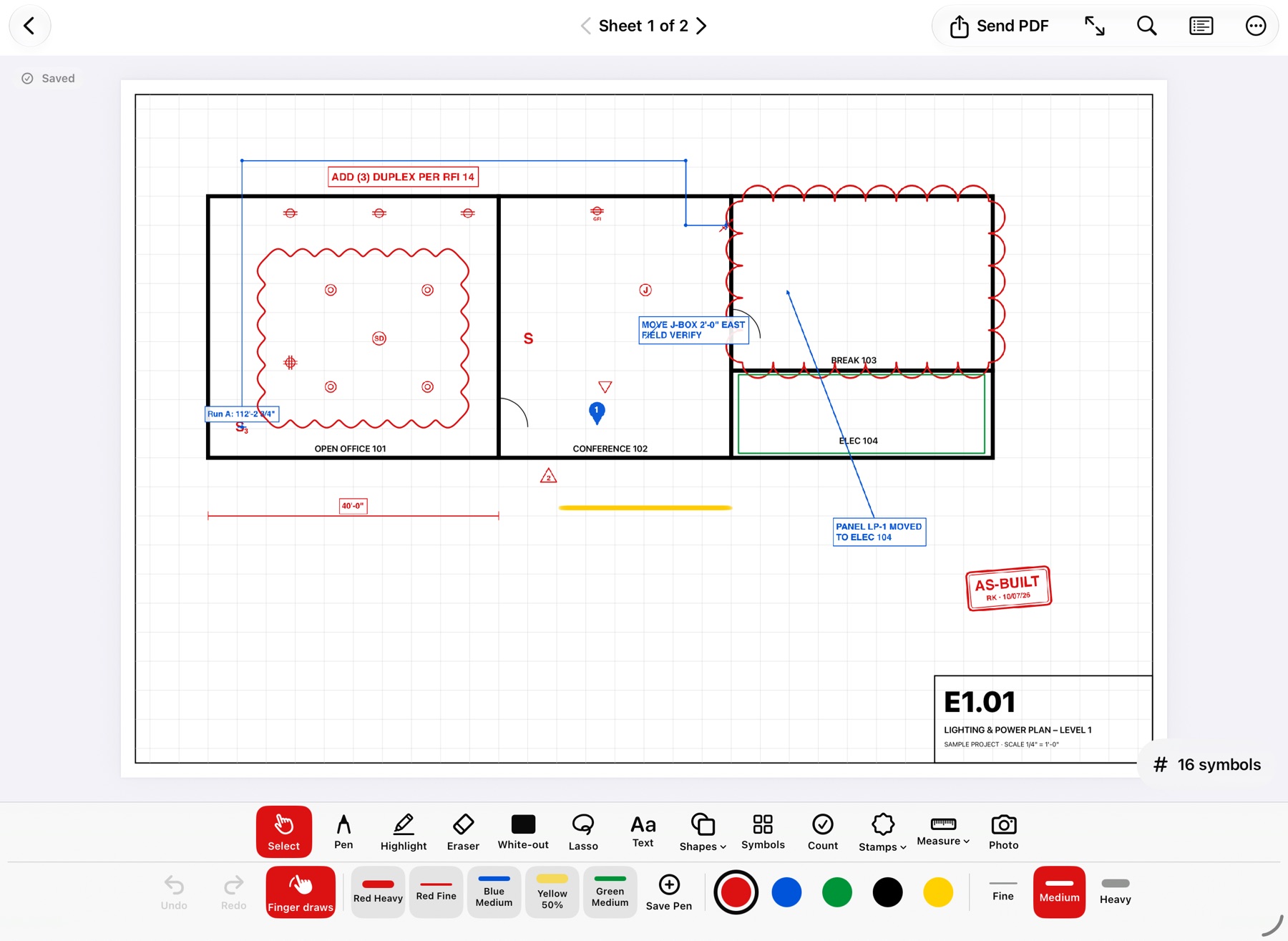
Rough-In Redlines on iPad: floor plan E1.01 with red revision clouds, duplex receptacle symbols, a measured run, a text callout and an AS-BUILT stamp.
Sheet E1.01 · Lighting & PowerScale 1/4" = 1'-0" · 16 symbols

Built for the jobsite

Everything you do to a print, minus the paper.

Made for foremen working with an Apple Pencil, a finger, or gloves on, in basements and trailers with no signal.

Markups on a floor plan: clouds, symbols, text and a stamp.

01 · Markup

Redline fast, with real trade symbols.

Pen, highlighter, clouds, arrows and text, plus 200+ symbols across 8 trade libraries. Size a symbol once, then Copy & Place it across the sheet.

  • Saved pens for one-tap colour and width
  • Highlighter with adjustable opacity
  • Stamps with your initials and date
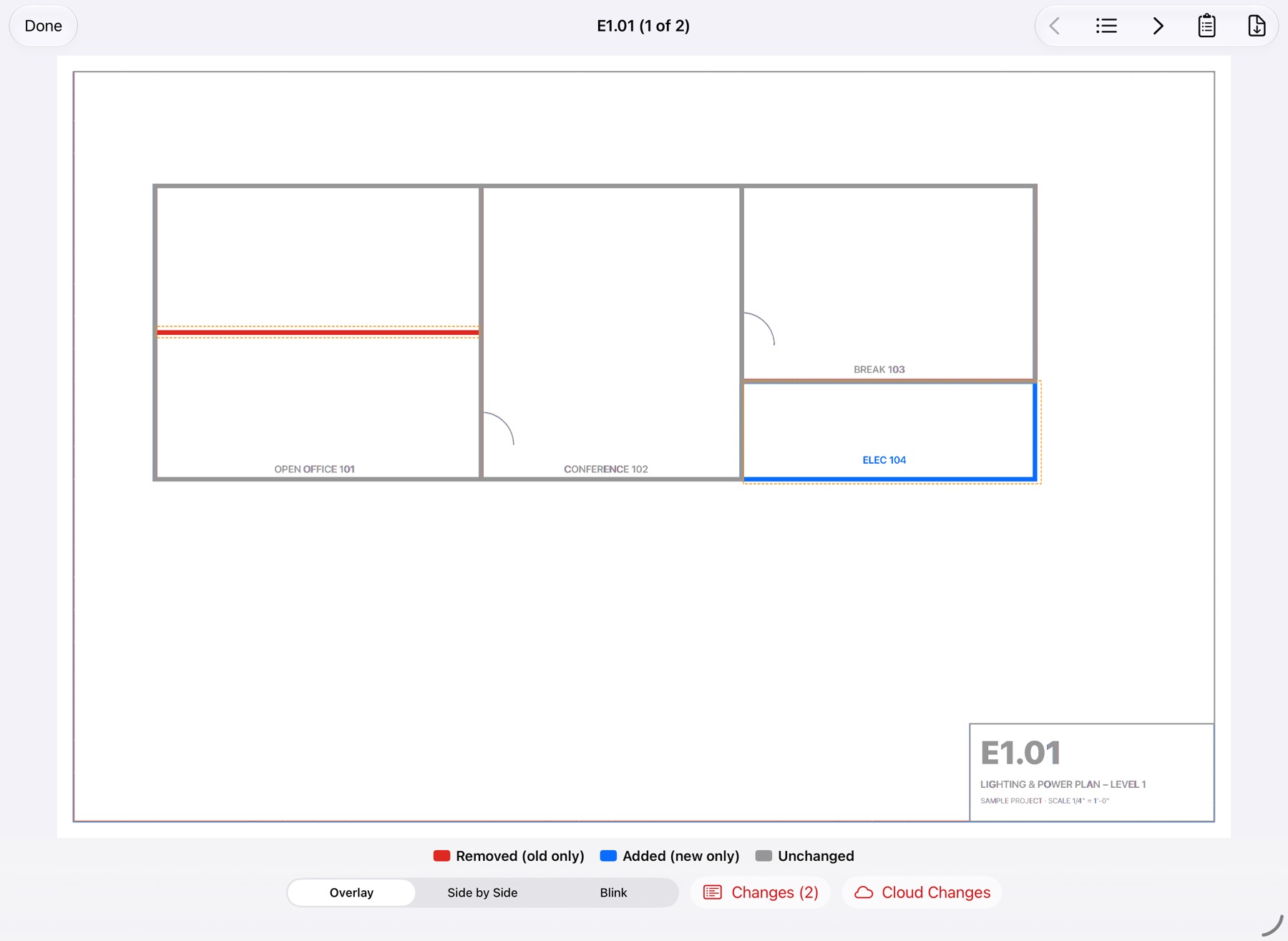
Compare view: a removed wall in red and a new electrical room in blue.

02 · Compare

New revision? See what changed.

Pick the old print and Rough-In lines up every sheet by its number. Removed work shows red, new work blue.

  • Overlay, side by side, or blink
  • A list of every change, including text like "20A → 30A"
  • Cloud every change, then bring your old markups over
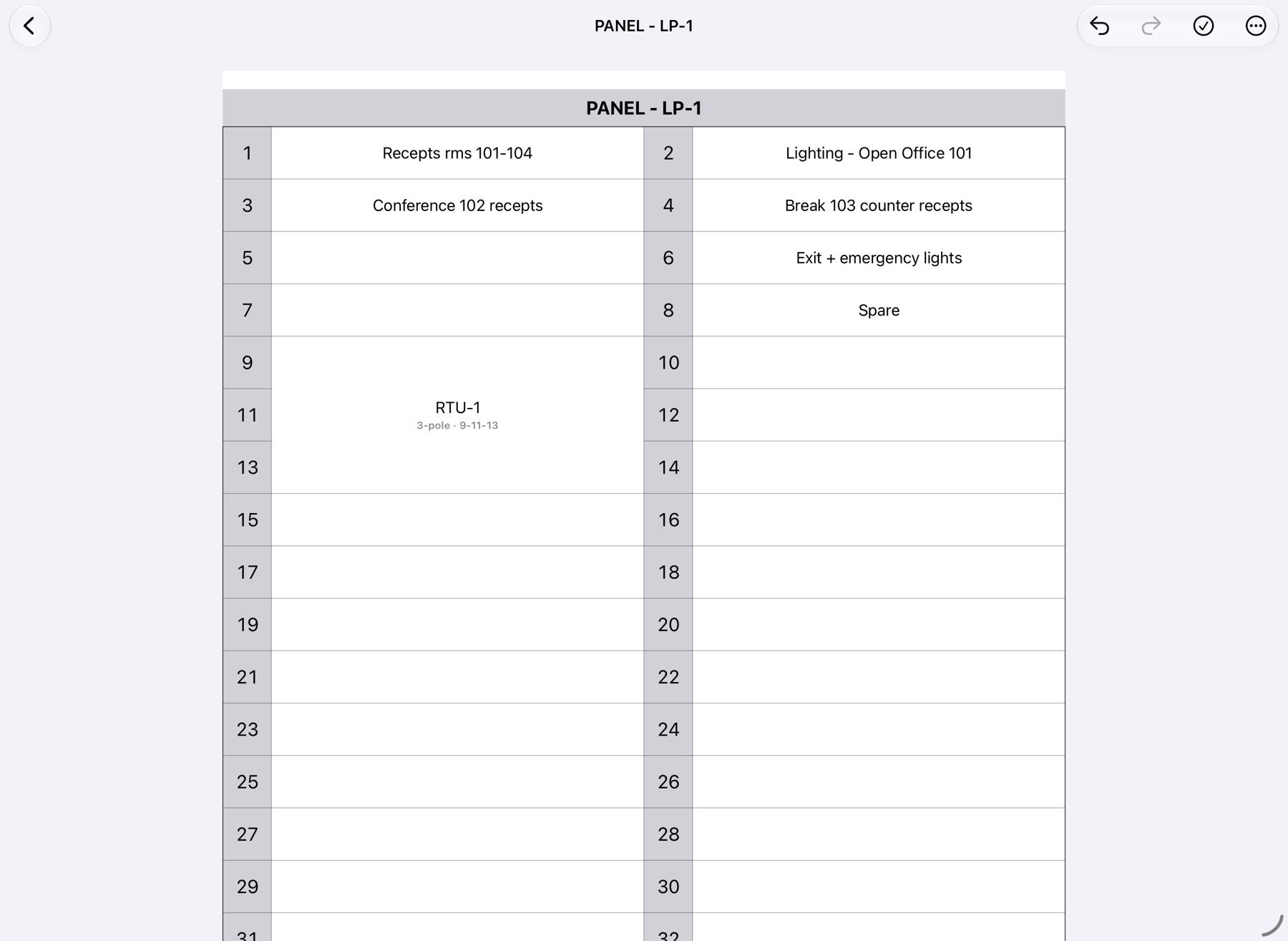
Panel schedule LP-1 with a three-pole RTU breaker spanning circuits 9, 11 and 13.

03 · Panel schedules

Directory cards without Excel on the iPad.

Odd circuits left, even right, just like the card on the panel door. Type or tap descriptions, combine 2- and 3-pole breakers, mark spares.

  • Excel and PDF cards with your company name and logo
  • Open an existing schedule and keep going
  • Room numbers straight off the drawing
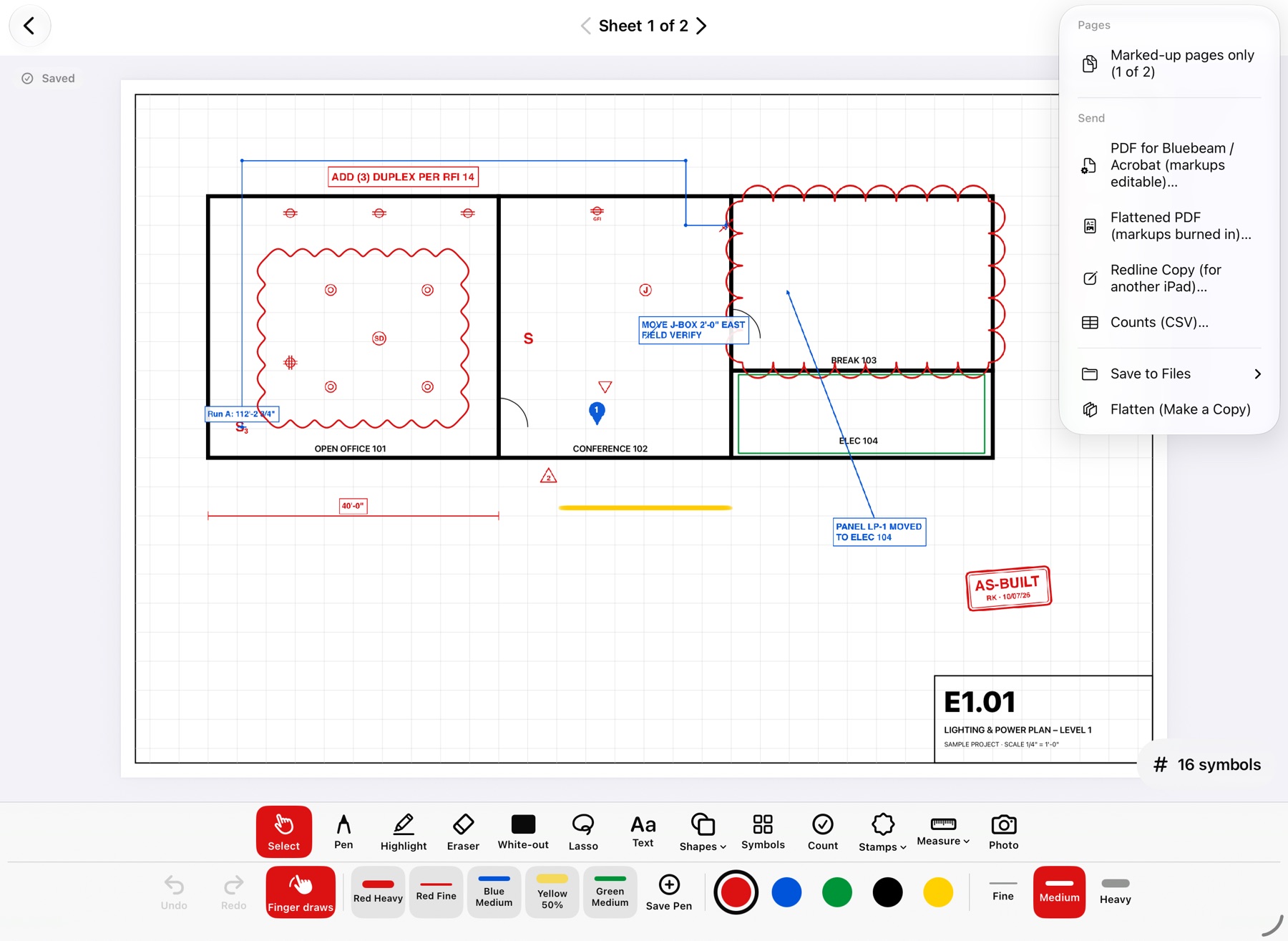
The Send menu with PDF for Bluebeam or Acrobat, Flattened PDF, Redline Copy and Counts CSV.

04 · Send

Send it back the way the office wants it.

One menu, whatever the office uses. Send only the marked-up pages of a big set.

PDF for BluebeamMarkups stay editable in Bluebeam or Acrobat, with your initials.
Flattened PDFMarkups burned in, with photo and count pages.
Redline copyAnother iPad opens it fully editable.
Counts (CSV)Symbol counts and runs for the estimator.
200+

Trade symbols, 8 libraries

ElectricalFire AlarmLow VoltageSecurityPlumbingHVAC / MechanicalFire SprinklerGeneral

Count tool

Tap each device. Totals by sheet and for the set, on the PDF and in a spreadsheet.

Measure to scale

Set 1/4" = 1'-0" or calibrate off a known dimension, then measure runs in feet and inches.

White-out

Cover an old wall, door or note, then draw what's really there.

Photos on the sheet

Numbered photo pins where you took them, out with the PDF.

Backup

Copies to your own iCloud Drive or Dropbox folder, still editable.

Works offline

No account, no server, no signal needed. Drawings stay on your iPad.

How it works

Three steps, no laptop.

  1. Open the print

    From Files, or share the PDF straight out of Mail. Photos and pictures open too.

  2. Mark it up

    Redline, place symbols, count, measure, and add photos right where the work is.

  3. Send it back

    A Bluebeam-ready PDF, a flattened copy, counts for the estimator or panel cards for the PM.

Who it's for

Made by a contractor, for the trades.

Foremen and crews who live on the prints, and the PMs who need the changes back.

ElectriciansPlumbersHVACFire alarmLow voltage

Free

To start

Open your prints and mark them up. Send a flattened PDF.

Pro

The full toolkit

Compare, counts, panel schedules, Bluebeam-ready PDFs and backup. Pricing announced at launch.

Put the prints in your pocket.

Rough-In Redlines is coming to the App Store. Want to try it early on your crew? Send us a note.

Get early access